Headless CMS Localization

Technical Case Study · Strapi v5 · Next.js · 5 Locales · RTL

CMSStrapi v5.46.1
FrontendNext.js 16.2.6
LocalesEN · AR · RU · ES · HY

A practical end-to-end build demonstrating headless CMS setup, multilingual content management, RTL layout implementation, and frontend locale switching — using the same stack as production localization platforms.

Built to show hands-on fluency with the technical layer of localization: not just managing translations, but architecting the system that delivers them.

Prepared as a technical demonstration for Exinity.

Strapiv5.46.1
Enterprise Edition
Next.jsv16.2.6
with Turbopack
5Locales
incl. RTL Arabic
AIAuto Draft
Translations

One Single Type — Home Page — with 5 localizable text fields. All fields marked with the 🌐 icon, meaning Strapi stores a separate value per locale.
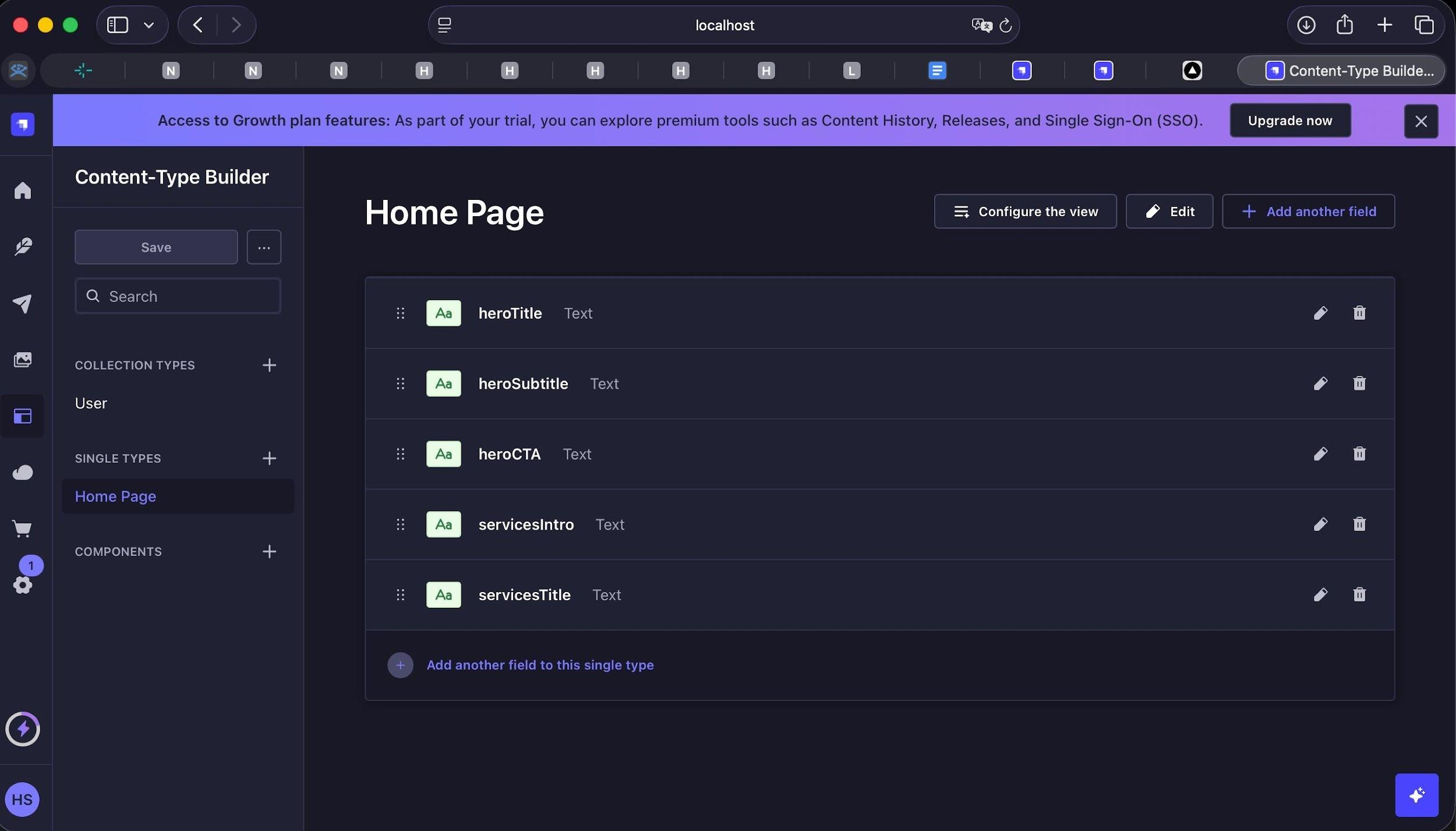
FieldTypeLocalizable
heroTitleText
heroSubtitleLong text
heroCTAText
servicesIntroLong text
servicesTitleText
Strapi Content-Type Builder showing Home Page with 5 localizable fields
Fig. 1 — Content-Type Builder: Home Page with 5 localizable fields

5 locales configured in Strapi's Internationalization plugin. AI Translations enabled — draft translations auto-generated for all locales on save, then reviewed before publish.
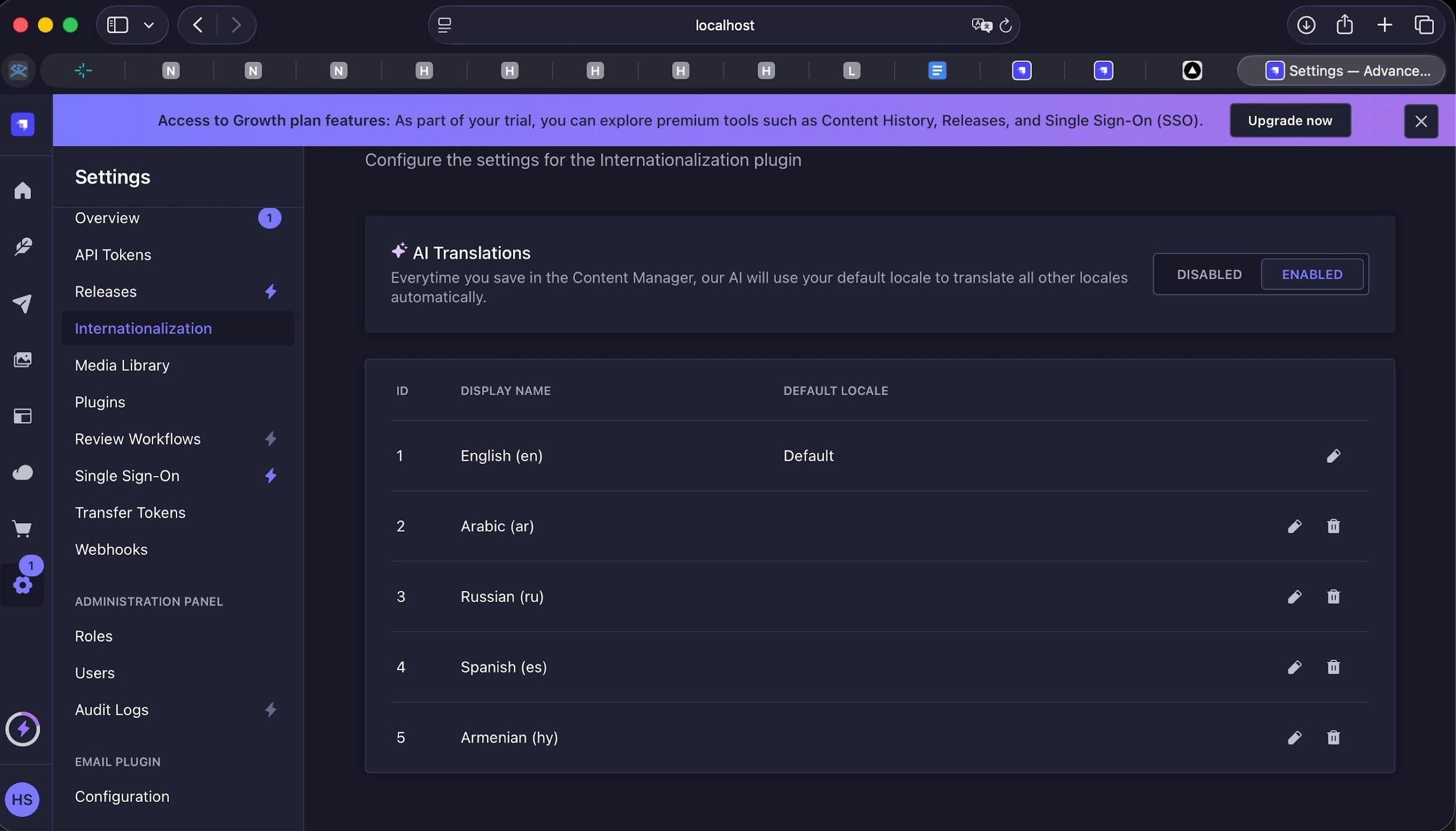
Strapi Settings › Internationalization: 5 locales + AI Translations enabled
Fig. 2 — Settings › Internationalization: 5 locales + AI Translations enabled

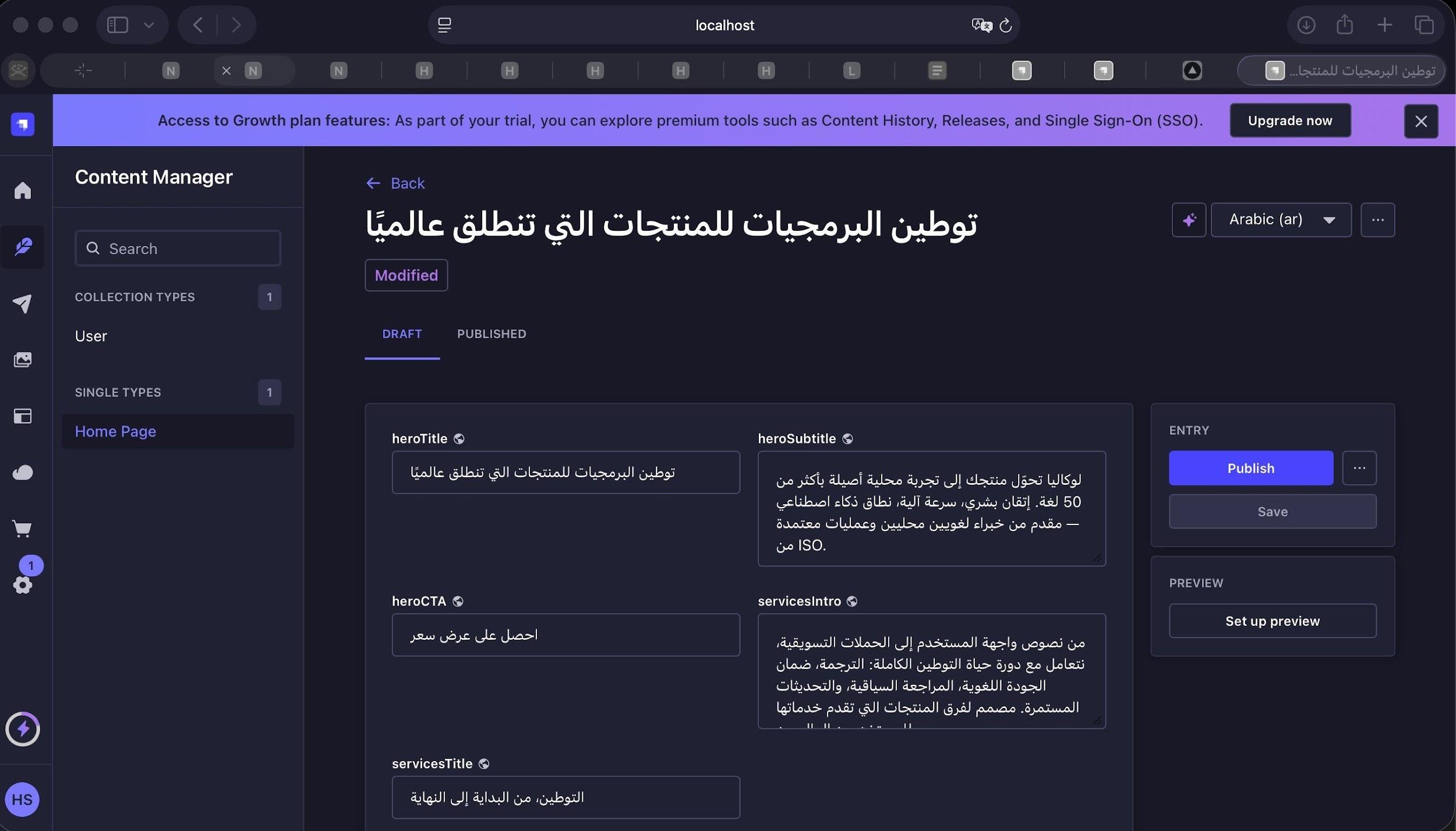
The same Home Page entry managed independently across locales. Each locale has its own draft/publish lifecycle — an Arabic update does not overwrite English.

English — Published (source locale)
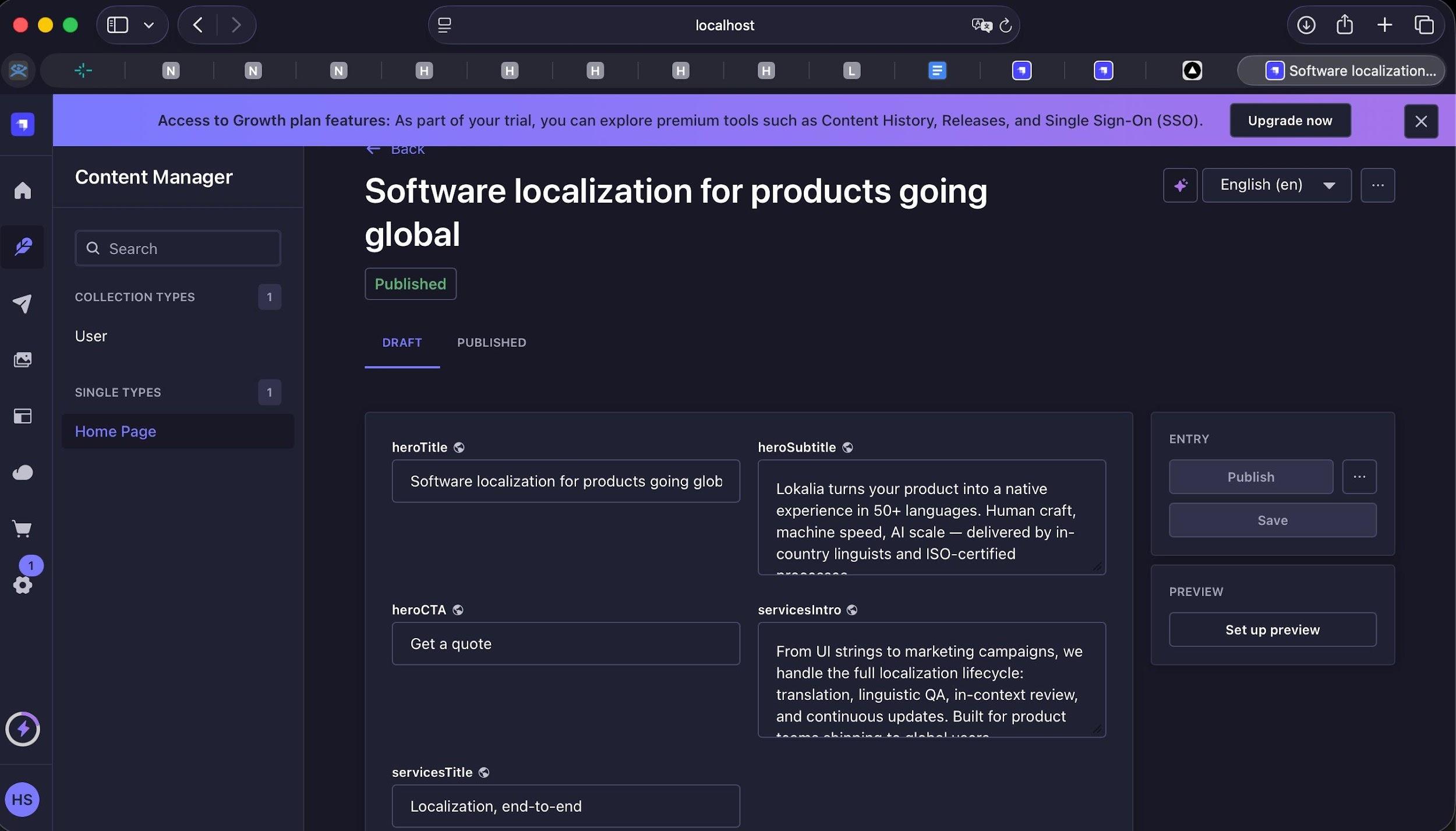
English content — Published status in Strapi Content Manager
Fig. 3 — English (Published) — source content

Russian — Cyrillic (Modified, pending review)
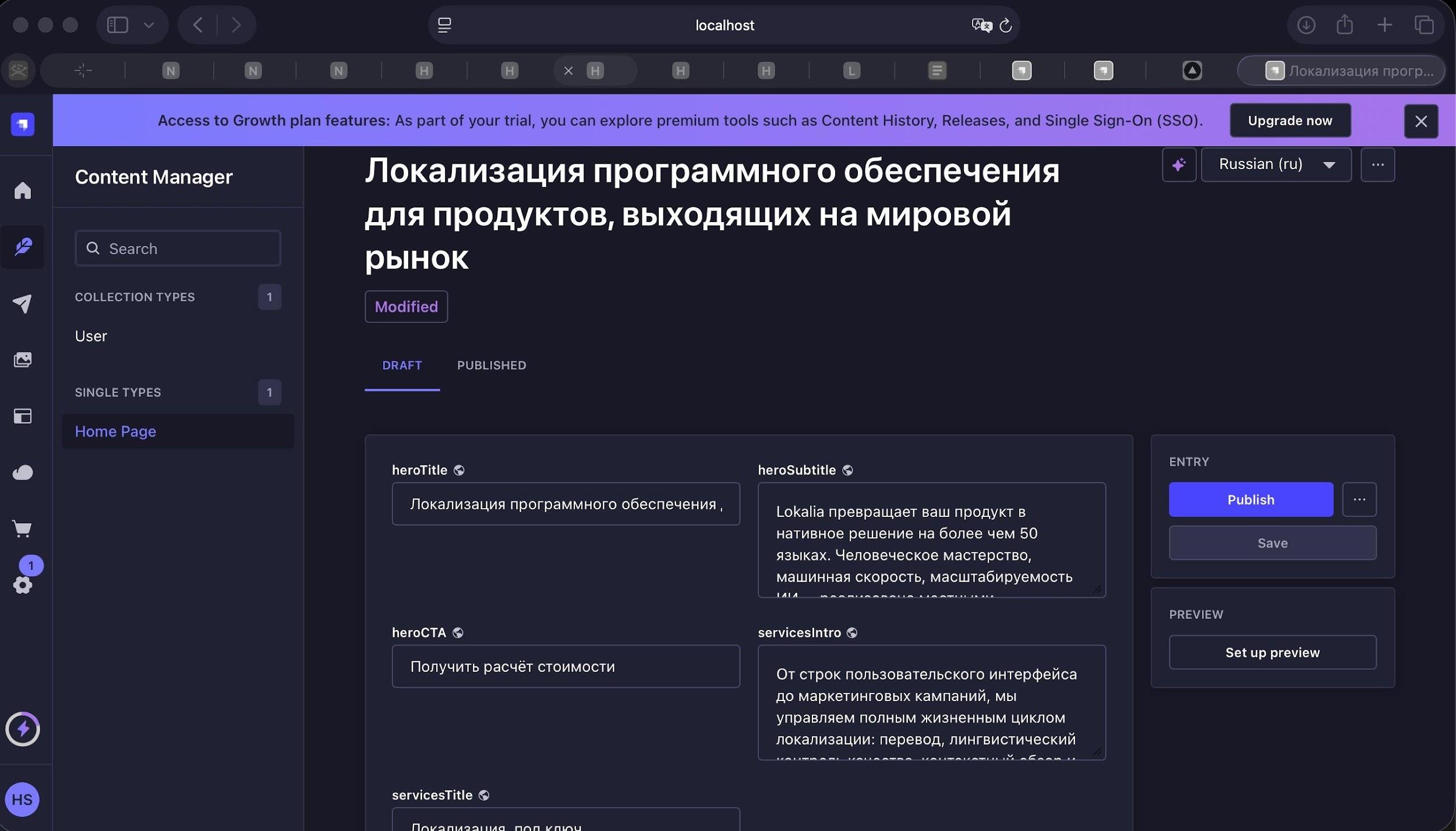
Russian content — Cyrillic, Modified status, locale switcher visible
Fig. 4 — Russian (Modified) — Cyrillic content, locale switcher visible top-right

Arabic — RTL (ready to publish)

Arabic content — full RTL, Publish button active
Fig. 5 — Arabic — full RTL content, Publish button active

Next.js frontend consuming the Strapi REST API with a locale parameter. Language switcher in the navbar switches locale and re-renders the full page.

English
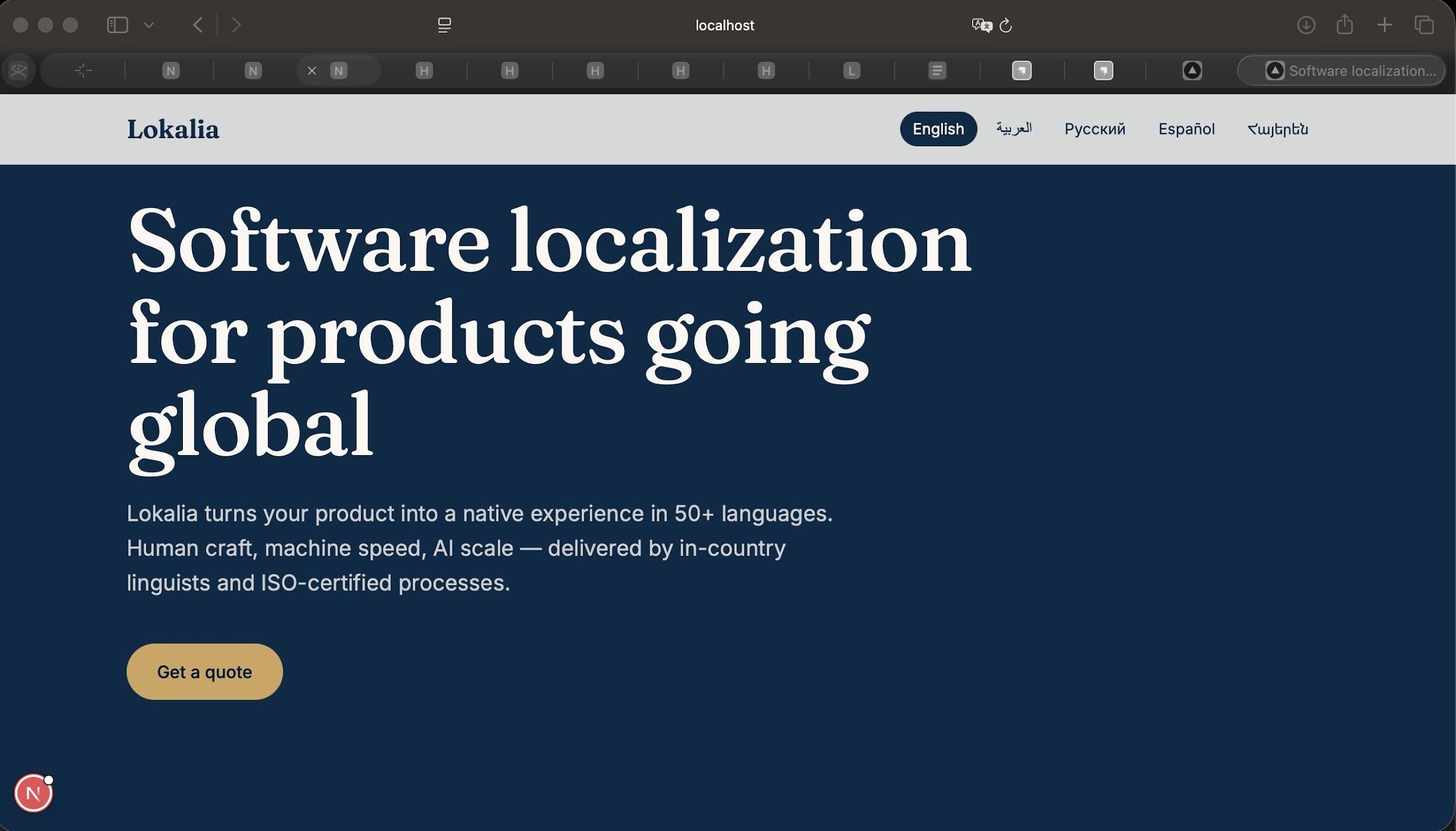
English frontend — language switcher showing all 5 locales
Fig. 6 — English — language switcher shows all 5 locales

Arabic — Full RTL Layout

Complete layout reversal: logo moves right, nav flips, text direction reverses. RTL implemented at layout level, not just text direction.
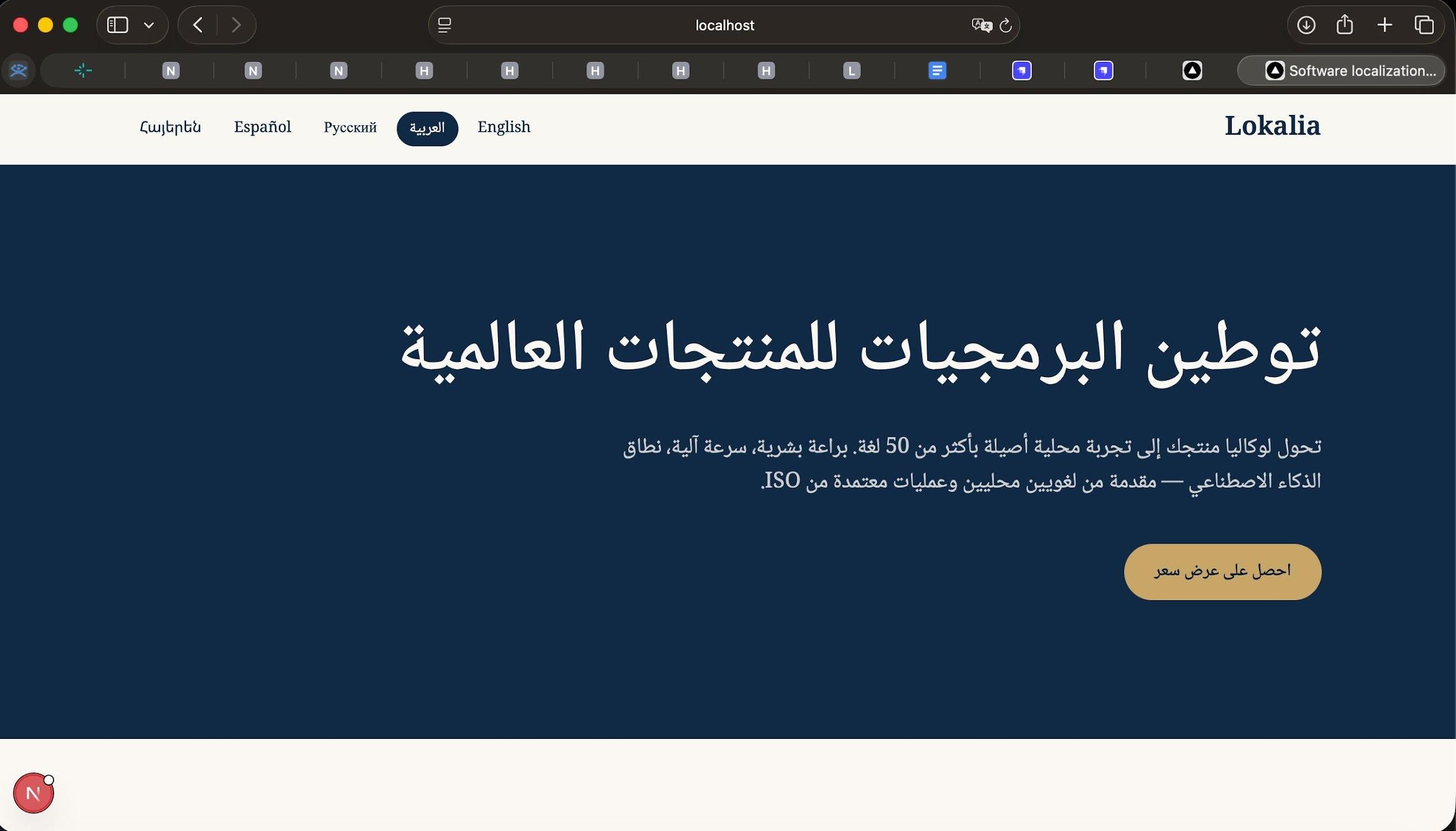
Arabic frontend — full RTL layout, mirrored nav, Arabic typography
Fig. 7 — Arabic — full RTL: mirrored nav, Arabic typography

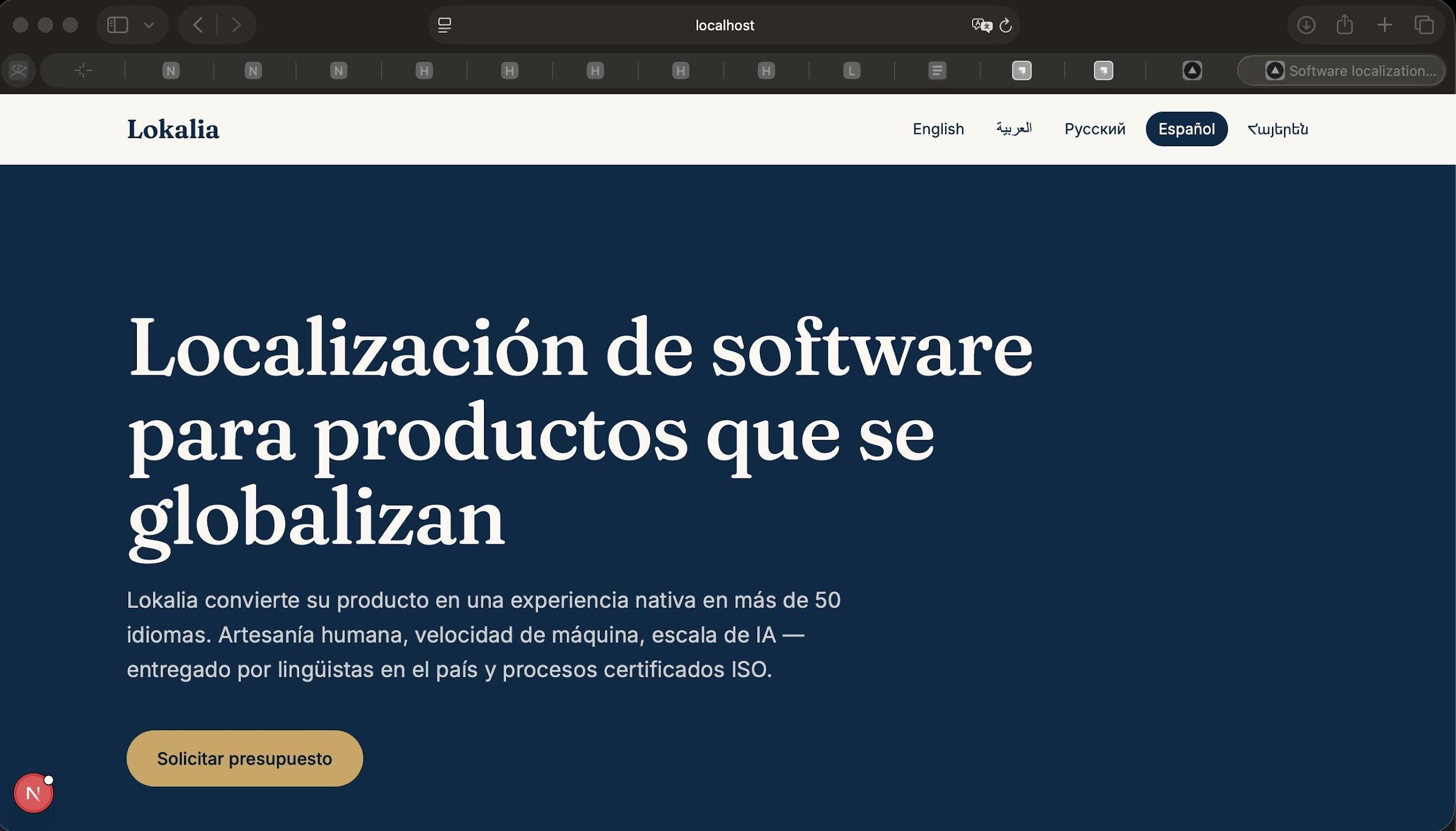
Spanish

Spanish frontend — locale-adapted copy and CTA
Fig. 8 — Spanish — locale-adapted copy and CTA
Headless CMS (Strapi)Content model built, locales configured, publish workflow managed
Multilingual content management5 locales, independent draft/publish lifecycle per locale
RTL language supportFull layout reversal implemented for Arabic at layout level
Translation workflowAI draft generation + human review before publish
Frontend integrationNext.js consuming Strapi REST API with locale parameter
Version controlFull project on GitHub — public repository
View on GitHub →